@RequestMapping(value = "/oauth/authorize") public ModelAndView authorize(Map<String, Object> model, @RequestParam Map<String, String> parameters, SessionStatus sessionStatus, Principal principal) {
// Pull out the authorization request first, using the OAuth2RequestFactory. All further logic should // query off of the authorization request instead of referring back to the parameters map. The contents of the // parameters map will be stored without change in the AuthorizationRequest object once it is created.
//必要的参数校验 if (!responseTypes.contains("token") && !responseTypes.contains("code")) { throw new UnsupportedResponseTypeException("Unsupported response types: " + responseTypes); }
if (authorizationRequest.getClientId() == null) { throw new InvalidClientException("A client id must be provided"); }
try {
//判断是否登录,必须要登录 if (!(principal instanceof Authentication) || !((Authentication) principal).isAuthenticated()) { throw new InsufficientAuthenticationException( "User must be authenticated with Spring Security before authorization can be completed."); }
String redirectUriParameter = authorizationRequest.getRequestParameters().get(OAuth2Utils.REDIRECT_URI); //获取uri参数比对是否是存储的重定向url一致 String resolvedRedirect = redirectResolver.resolveRedirect(redirectUriParameter, client); if (!StringUtils.hasText(resolvedRedirect)) { throw new RedirectMismatchException( "A redirectUri must be either supplied or preconfigured in the ClientDetails"); } authorizationRequest.setRedirectUri(resolvedRedirect);
// We intentionally only validate the parameters requested by the client (ignoring any data that may have // been added to the request by the manager).
// Some systems may allow for approval decisions to be remembered or approved by default. Check for // such logic here, and set the approved flag on the authorization request accordingly.
// Validation is all done, so we can check for auto approval... if (authorizationRequest.isApproved()) { //如果是返回token的 if (responseTypes.contains("token")) { return getImplicitGrantResponse(authorizationRequest); } //如果是返回code 并且是允许的 if (responseTypes.contains("code")) { return new ModelAndView(getAuthorizationCodeResponse(authorizationRequest, (Authentication) principal)); } }
// Store authorizationRequest AND an immutable Map of authorizationRequest in session // which will be used to validate against in approveOrDeny()
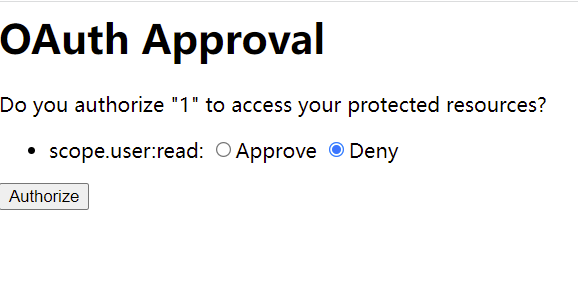
//将请求的一些信息放到 model 中 model 会被放到session中 因为此类上有@SessionAttributes 注解 model.put(AUTHORIZATION_REQUEST_ATTR_NAME, authorizationRequest); model.put(ORIGINAL_AUTHORIZATION_REQUEST_ATTR_NAME, unmodifiableMap(authorizationRequest)); //跳转到用户确认页面 return getUserApprovalPageResponse(model, authorizationRequest, (Authentication) principal);
public AuthorizationRequest checkForPreApproval(AuthorizationRequest authorizationRequest, Authentication userAuthentication) {
String clientId = authorizationRequest.getClientId(); Collection<String> requestedScopes = authorizationRequest.getScope(); Set<String> approvedScopes = new HashSet<String>(); Set<String> validUserApprovedScopes = new HashSet<String>();
if (clientDetailsService != null) { try { ClientDetails client = clientDetailsService.loadClientByClientId(clientId); for (String scope : requestedScopes) { if (client.isAutoApprove(scope)) { approvedScopes.add(scope); } }
//处理ClientDetails 里面的一个列自动授权逻辑
if (approvedScopes.containsAll(requestedScopes)) { // gh-877 - if all scopes are auto approved, approvals still need to be added to the approval store. Set<Approval> approvals = new HashSet<Approval>(); Date expiry = computeExpiry(); for (String approvedScope : approvedScopes) { approvals.add(new Approval(userAuthentication.getName(), authorizationRequest.getClientId(), approvedScope, expiry, ApprovalStatus.APPROVED)); } approvalStore.addApprovals(approvals);
if (logger.isDebugEnabled()) { StringBuilder builder = new StringBuilder("Looking up user approved authorizations for "); builder.append("client_id=" + clientId); builder.append(" and username=" + userAuthentication.getName()); logger.debug(builder.toString()); }
// Find the stored approvals for that user and client
// Look at the scopes and see if they have expired Date today = new Date(); for (Approval approval : userApprovals) { if (approval.getExpiresAt().after(today)) { if (approval.getStatus() == ApprovalStatus.APPROVED) { validUserApprovedScopes.add(approval.getScope()); approvedScopes.add(approval.getScope()); } } }
if (logger.isDebugEnabled()) { logger.debug("Valid user approved/denied scopes are " + validUserApprovedScopes); }
//如果之前的都是允许并且还没有失效,(每个允许的存储也是有时效的)那么就是允许的
// If the requested scopes have already been acted upon by the user, // this request is approved if (validUserApprovedScopes.containsAll(requestedScopes)) { approvedScopes.retainAll(requestedScopes); // Set only the scopes that have been approved by the user authorizationRequest.setScope(approvedScopes); authorizationRequest.setApproved(true); }
if (!(principal instanceof Authentication)) { sessionStatus.setComplete(); throw new InsufficientAuthenticationException( "User must be authenticated with Spring Security before authorizing an access token."); }
if (authorizationRequest == null) { sessionStatus.setComplete(); throw new InvalidRequestException("Cannot approve uninitialized authorization request."); }
// Check to ensure the Authorization Request was not modified during the user approval step //检查是否被篡改信息 @SuppressWarnings("unchecked") Map<String, Object> originalAuthorizationRequest = (Map<String, Object>) model.get(ORIGINAL_AUTHORIZATION_REQUEST_ATTR_NAME); if (isAuthorizationRequestModified(authorizationRequest, originalAuthorizationRequest)) { throw new InvalidRequestException("Changes were detected from the original authorization request."); }
if (authorizationRequest.getRedirectUri() == null) { sessionStatus.setComplete(); throw new InvalidRequestException("Cannot approve request when no redirect URI is provided."); }
//拒绝的逻辑 if (!authorizationRequest.isApproved()) { return new RedirectView(getUnsuccessfulRedirect(authorizationRequest, new UserDeniedAuthorizationException("User denied access"), responseTypes.contains("token")), false, true, false); }
if (!(principal instanceof Authentication)) { throw new InsufficientAuthenticationException( "There is no client authentication. Try adding an appropriate authentication filter."); }
//校验clientId if (clientId != null && !clientId.equals("")) { // Only validate the client details if a client authenticated during this // request. if (!clientId.equals(tokenRequest.getClientId())) { // double check to make sure that the client ID in the token request is the same as that in the // authenticated client throw new InvalidClientException("Given client ID does not match authenticated client"); } } //校验scope if (authenticatedClient != null) { oAuth2RequestValidator.validateScope(tokenRequest, authenticatedClient); } if (!StringUtils.hasText(tokenRequest.getGrantType())) { throw new InvalidRequestException("Missing grant type"); }
//不能是简化模式 if (tokenRequest.getGrantType().equals("implicit")) { throw new InvalidGrantException("Implicit grant type not supported from token endpoint"); }
//授权码的请求 if (isAuthCodeRequest(parameters)) { // The scope was requested or determined during the authorization step if (!tokenRequest.getScope().isEmpty()) { logger.debug("Clearing scope of incoming token request"); tokenRequest.setScope(Collections.<String> emptySet()); } }
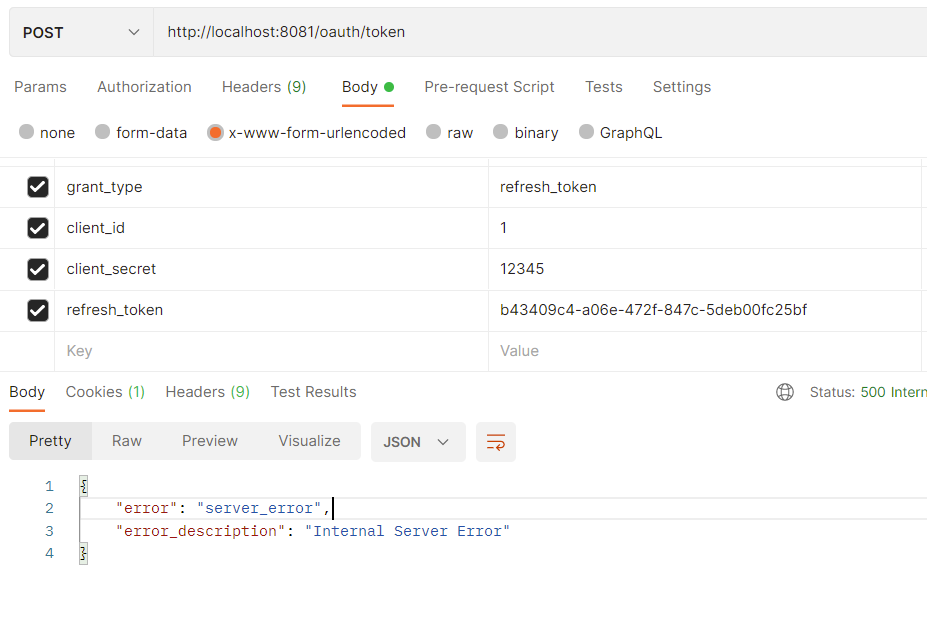
//是刷新token的请求 if (isRefreshTokenRequest(parameters)) { // A refresh token has its own default scopes, so we should ignore any added by the factory here. tokenRequest.setScope(OAuth2Utils.parseParameterList(parameters.get(OAuth2Utils.SCOPE))); }
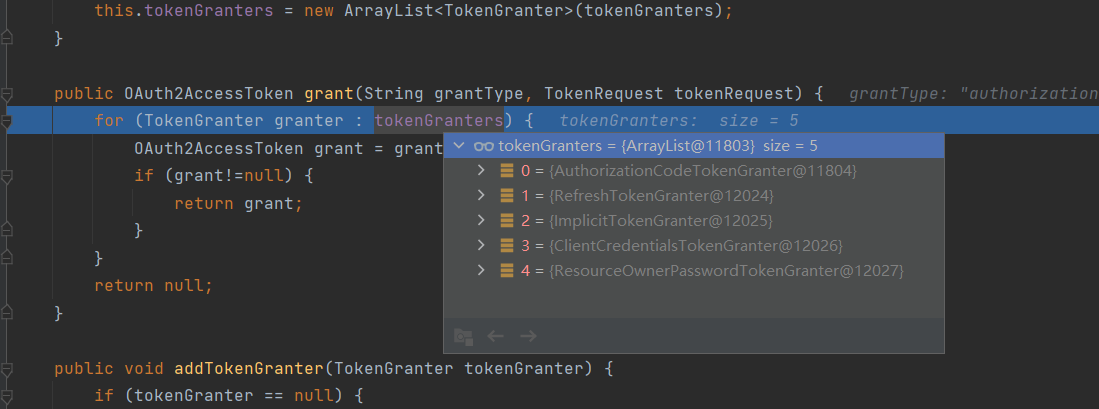
//调用token授权期执行授权方法 OAuth2AccessToken token = getTokenGranter().grant(tokenRequest.getGrantType(), tokenRequest); if (token == null) { throw new UnsupportedGrantTypeException("Unsupported grant type: " + tokenRequest.getGrantType()); }
@Transactional public OAuth2AccessToken createAccessToken(OAuth2Authentication authentication) throws AuthenticationException {
OAuth2AccessToken existingAccessToken = tokenStore.getAccessToken(authentication); OAuth2RefreshToken refreshToken = null; if (existingAccessToken != null) { if (existingAccessToken.isExpired()) { if (existingAccessToken.getRefreshToken() != null) { refreshToken = existingAccessToken.getRefreshToken(); // The token store could remove the refresh token when the // access token is removed, but we want to // be sure... tokenStore.removeRefreshToken(refreshToken); } tokenStore.removeAccessToken(existingAccessToken); } else { // Re-store the access token in case the authentication has changed tokenStore.storeAccessToken(existingAccessToken, authentication); return existingAccessToken; } }
// Only create a new refresh token if there wasn't an existing one // associated with an expired access token. // Clients might be holding existing refresh tokens, so we re-use it in // the case that the old access token // expired.
//没有刷新的 if (refreshToken == null) { refreshToken = createRefreshToken(authentication); } // But the refresh token itself might need to be re-issued if it has // expired. else if (refreshToken instanceof ExpiringOAuth2RefreshToken) { ExpiringOAuth2RefreshToken expiring = (ExpiringOAuth2RefreshToken) refreshToken; if (System.currentTimeMillis() > expiring.getExpiration().getTime()) { refreshToken = createRefreshToken(authentication); } }
//存储token tokenStore.storeAccessToken(accessToken, authentication); // In case it was modified refreshToken = accessToken.getRefreshToken(); if (refreshToken != null) { tokenStore.storeRefreshToken(refreshToken, authentication); } return accessToken;